"Marketing spent an hour digging just to learn the visitor never checked the consent box."
The feed simply didn't run, and nothing on the entry or in Mailchimp said why, leaving staff to reconstruct it manually.
BoldBellowsA missing name shouldn't be a mystery
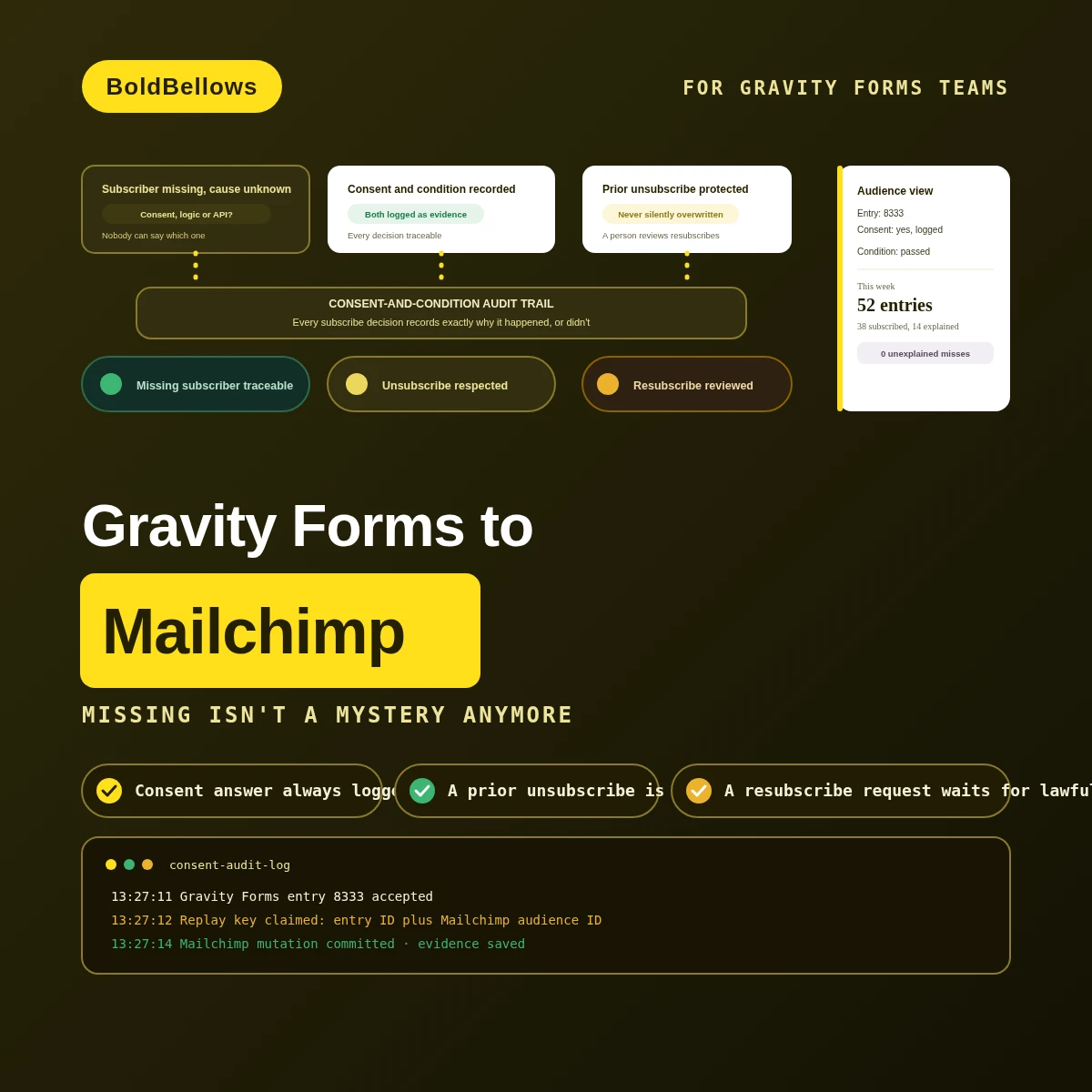
A generic connector runs a conditional feed and either it fires or it doesn't, with nothing recorded about why. When someone's missing from the audience, was it because they said no to consent, a different rule evaluated false, or Mailchimp's own API rejected the write? We record every one of those separately, so the answer is never a guess.
From $400, paid once.
No monthly connector fee.
01The three-cause trap
A conditional Mailchimp feed can skip a subscriber for at least three unrelated reasons: a no on consent, an entirely different rule evaluating false, or an outright API rejection. A generic connector reports all three the exact same way, if it reports anything at all.
The feed simply didn't run, and nothing on the entry or in Mailchimp said why, leaving staff to reconstruct it manually.
Nothing checked their existing Mailchimp status first, so the connector just overwrote a decision the person had actually made.
Two completely different failures produced identical-looking silence, so nobody could tell which one had actually happened.
An audience list only stays trustworthy if its decisions are explainable. "The subscriber isn't there" means nothing until someone can say exactly why.
Same entries, same audience. The difference is whether every decision leaves a reason behind, or just a silence.
Before
After
02How it works
The consent answer is read straight from its field first, the feed's conditional logic is evaluated and its result recorded second, a status guard checks for any prior Mailchimp state third, and only then does a membership decision actually get written.
03What powers the consent audit
The condition evaluator and consent evidence ship with Consent Feed. Interest mapping and a status guard join at Audience Control. A feed-outcome register and resubscription queue complete the model at Permission Audit.
Consent FeedAudience ControlPermission Audit
Records whether the configured feed rule actually passed or failed.
Pins the exact field, answer and entry time behind the decision.
Translates selected form values into the right Mailchimp audience groups.
Protects a prior unsubscribe or cleaned status from being reversed.
Captures attempted, skipped, accepted or rejected on every single entry.
Separates a genuine lawful re-opt-in from an automatic status flip.
Puts a rejected write somewhere your team will actually go looking.
Your first full month of live consent decisions gets watched closely.
04Who it's for
Email operations managers chasing missing subscribers, privacy reviewers who need consent proof on file, membership marketers managing audience interests, and WordPress administrators who need repairs that don't duplicate.
Chases down missing subscribers and needs a recorded reason instead of a guessing game.
Needs consent proof on file for every subscribe decision the system ever makes.
Manages audience interests and needs values mapped consistently across every signup form.
Wants a repair process for failed feeds that never accidentally duplicates a member.
05Compare
Setting up a conditional Mailchimp feed takes minutes. Making sure every one of its decisions is explainable after the fact is where most setups stop trying entirely.
| What's being asked | A manually reviewed list | A basic conditional feed | BoldBellows build |
|---|---|---|---|
| What triggers the write | A person spots the new entry | Entry creation, consent or not | YesCompletion evaluated against consent and condition |
| How it's matched | Email address, typed by hand | Connector history | YesEntry ID plus Mailchimp audience ID |
| What Mailchimp receives | Whatever someone typed in | One action payload, pass or fail unlogged | YesA decision with both consent and condition attached |
| A rejected write | Nobody finds out until it's asked about | A generic API error, if that | YesOwned on the exception register until fixed |
The consent answer is yes, but a completely separate conditional-feed rule evaluates false. Interest mapping keeps both results on the record, so the later modification updates the known route instead of starting over.
A previously unsubscribed member's answers now meet a new form's condition. The resubscription queue isolates that condition before Mailchimp receives a status change that skips lawful review.
PricingClear, one-off packages
Each package scales with how much audience governance and resubscribe control your list genuinely needs, updating the total live. Consent Feed opens at $400.
View PricingPick a package, answer three short questions about feed timing, entry identity and failure policy, and your price and turnaround move as you choose.
06The process
Consent Feed covers a single form and audience, and it's normally ready to test inside a week. Audience Control's interest mapping and status guard take a bit longer to prove against your actual group structure. Permission Audit, once tested against genuine resubscribe and rejection scenarios, tends to run closer to twelve days. Chasing a campaign date? Let us know up front — a faster speed choice can pull the whole thing forward.
We inventory exactly which field carries consent and what your conditional Mailchimp feed rule actually checks.
You approve exactly what evidence each decision keeps, and how interests map to your real audience groups.
The condition evaluator, the consent evidence logic and the status guard get built together against your actual audience.
We deliberately push consent-yes-condition-failed, a prior unsubscribe, and a rejected Mailchimp permission through it before anything ships.
We confirm real entries produce fully explainable outcomes, then walk your team through the operating record.
07Security and ownership
This build only ever handles the entries and membership actions feeding your Mailchimp audience. Anything not tied directly to that purpose — content, users, other integrations, billing — sits entirely out of its reach.
The consent-audit logic lives entirely in its own codebase, calling supported Gravity Forms hooks only, so an update passes it by completely.
Reading entries and writing to Mailchimp both run under a capability built specifically for this one integration.
Anything not explicitly included in the interest mapping or consent evidence stays behind, never guessed onto a member record.
The entry-and-audience key anchors every write, so replaying a failed operation updates the same member instead of creating a second.
What gets kept for review is the consent result and the outcome, not a second stored copy of everything someone wrote.
Once this ships, ownership of every piece — the plugin, the logic, the write-up — sits fully with you, no strings attached.
08In their words
Verified reviews from teams who use BoldBellows automations every day, from email operations and privacy compliance to sales and support.
AI Data Entry & Reporting Automation
We used to spend hours collecting data and building weekly reports by hand. BoldBellows automated all of it.
The reports are clean, visual and easy to read, and our managers rely on them for quick decisions. Human error is gone and our numbers are more accurate across the board.
AI Email & Smart Inbox Management
Our inbox used to be chaos. BoldBellows built an AI email system that sorts messages, drafts replies and flags anything urgent.
It learns how we write and gets better every week. We reply faster and no longer miss important messages. It feels like having a personal assistant working around the clock.
AI Content & Social Media Automation
Our marketing agency couldn’t keep up with content. BoldBellows set up an AI content engine that writes blog posts and captions and even designs our social media creatives.
It spots trends and suggests topics for us, so we stay ahead of competitors. We now produce three times the content with the same team, and engagement has soared. They didn’t just automate our workflow, they lifted our whole brand.
AI CRM Automation
Our CRM was barely used because updating it by hand was tedious. BoldBellows automated data entry, tagging, segmentation and follow-ups.
Now the CRM is always up to date and our campaigns are far more accurate. It improved our whole sales pipeline.
AI Translation & Localisation
When we expanded abroad we needed fast, accurate translations. BoldBellows built an AI translation system that turns our content into several languages instantly.
The translations read naturally and suit each culture. We now serve customers in five new countries without hiring translators. BoldBellows helped us go global.
AI Document & Contract Automation
Onboarding was slow because we wrote every contract by hand. BoldBellows automated the lot: contracts, welcome emails and client setup.
What took 48 hours now takes under 10 minutes, and clients regularly tell us how professional it feels.
AI Chatbot & Customer Support
BoldBellows built an AI support chatbot for our online boutique, and it has changed how we run the business. We used to have two full-time staff answering the same questions all day. Now the AI handles order tracking, product recommendations and even refund requests on its own.
What surprised me most is how natural it sounds. Customers compliment the ‘agent’ without realizing it’s AI. Our support workload dropped by 75% and customer satisfaction went up dramatically.
AI HR & Recruitment Automation
Our HR team was drowning in applications. BoldBellows automated screening, skills-based filtering and interview scheduling.
It saves us hours every week and means we only interview qualified people. Hiring is now faster, better organized and more professional.
AI Voice Assistant
BoldBellows built a custom AI voice assistant for our customer hotline. It answers questions, books appointments and handles simple requests.
Customers love how fast it is, and our call-centre workload dropped dramatically. One of the smartest upgrades we’ve made.
AI Lead Qualification & Sales Automation
Our sales team wasted hours chasing cold leads. BoldBellows built an AI lead-scoring system that reads behavior, email engagement and buying signals.
It filters out weak leads and sends personalized follow-ups automatically, so our team only talks to people who are ready to buy. Conversions rose 40% in the first month. It paid for itself straight away.
AI Video & Voice Automation
We publish product videos every week, and BoldBellows introduced us to AI video automation. The system writes the script, voices it and produces the finished video in minutes.
The quality is remarkable: professional voiceovers, clean visuals and smooth editing. Production time went from three days to under 30 minutes, and we scaled our video marketing without adding cost.
AI Workflow Automation for Agencies
Running a digital agency with many clients was overwhelming. BoldBellows built one automation dashboard that tracks tasks, sends updates and creates client reports automatically.
Clients love the transparency and we love the time we get back. Productivity is up, and project delays have dropped to almost zero.
AI Booking & Scheduling Automation
Our coaching business needed a better way to schedule. BoldBellows automated all of it: bookings, reminders, cancellations and follow-ups.
No-shows fell by 60% and clients enjoy how smooth it is. It feels personal, not robotic. One of the best upgrades we’ve made.
AI Accounting & Invoice Automation
BoldBellows automated our whole invoicing process: creating invoices, sending reminders and tracking payments.
Late payments dropped sharply, and our accounting team finally has time for strategy instead of repetitive admin. Worth every penny.
AI E-commerce Listings Automation
BoldBellows automated our product listings. The AI writes descriptions, organizes photos and publishes listings across several marketplaces.
It even answers customer questions instantly. Our store looks more professional and sales have noticeably increased.
AI Customer Journey Automation
We wanted a smoother path from first contact to purchase. BoldBellows built an AI system that guides each customer there automatically.
It sends personalized messages, recommends products and follows up at just the right moment. Customer retention has improved dramatically.
AI Social Comment & DM Automation
We get thousands of comments and messages every week. BoldBellows built an AI system that replies instantly, filters spam and surfaces the important ones.
Engagement is up and our page looks active around the clock. It’s like having a full social media team that never stops.
AI Automation Partner
BoldBellows is hands-down the best AI automation partner we’ve worked with. Their systems are fast, reliable and built around how our business actually works.
Every automation they’ve delivered, from customer service to content, runs flawlessly. We’ve saved time, cut costs and grown faster than we expected.
09FAQ
Still unsure? We reply in plain English.
For a simple always-on subscribe, it can be. Once conditional logic and consent both gate the same feed, telling those two apart afterward is logic a plain feed configuration was never built to record.
Never. It's built entirely as a separate, self-contained plugin, and it's designed so a Gravity Forms or WordPress update literally has nothing belonging to us to touch.
Yes. We can push those older entries through the identical consent-and-condition rules up to whatever cutoff date you set, so each one gets evaluated exactly like a live entry would be.
No, that's kept separate. Our fee is a single implementation payment; your Mailchimp plan, Gravity Forms license and hosting continue getting billed by their own providers as usual.
You get paperwork describing precisely which parts of both platforms this build touches. Should either one change underneath it, that shows up as a specific, visible failure instead of a silently broken consent log.
It does, provided the mapping is built around the field's real input ID instead of assuming a fixed position on the page. Our acceptance tests specifically cover entries where consent shows up on different conditional routes. This page also answers searches for sync gravity forms entries to mailchimp, gravity forms mailchimp integration and gravity forms mailchimp subscriber sync.
Next stepStop guessing why someone isn't on the list
Send over the form and one real entry where the feed didn't behave the way you expected, and tell us what should have happened instead. Consent Feed starts at $400.