A list with no events
"We uploaded a customer CSV once." A static list can receive a campaign, but it can never trigger the flows built around behavior.
BoldBellowsFlows with real events behind them
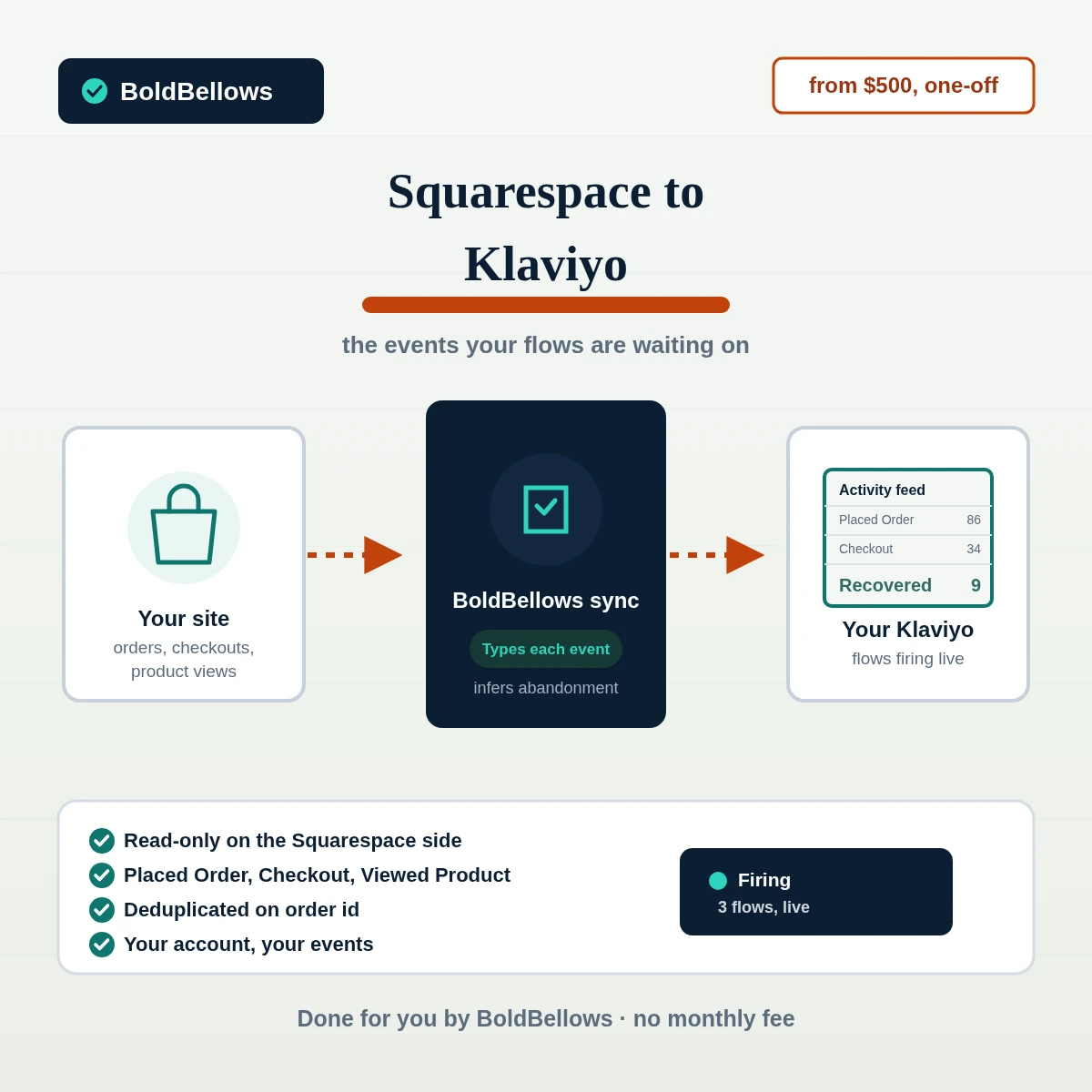
Our Squarespace to Klaviyo service reads Commerce orders and checkouts through a read-only connection and writes them into Klaviyo as Placed Order, Started Checkout and Viewed Product events, the exact triggers abandoned-cart and post-purchase flows are built around. No events, no flow, no matter how well it's designed.
A single build fee, starting at $500
Your Klaviyo plan stays separate
Chapter 01The silent-flow problem
Klaviyo's flow builder makes it easy to design an abandoned-cart sequence in an afternoon. What it can't do is invent the Started Checkout event the flow needs to trigger, and without a sync reading that from Squarespace, nothing behind the scenes ever tells Klaviyo a cart was abandoned at all.
We had a perfect three-email abandoned-cart sequence sitting in Klaviyo. It had sent zero emails in four months, because nothing was ever telling Klaviyo a cart existed.
"We uploaded a customer CSV once." A static list can receive a campaign, but it can never trigger the flows built around behavior.
Squarespace doesn't send Klaviyo a Started Checkout event on its own, so the flow with the highest ROI in most Klaviyo accounts stays dark.
Without order data attached, Klaviyo can't tell a first-time buyer from a five-time repeat customer, so win-back segments target the wrong people.
Before
After
Chapter 02How it works
Squarespace's raw activity gets translated into the exact event types Klaviyo expects. Nothing about your store changes; Klaviyo simply starts hearing about what's happening on it.
The key issued for this build reads orders and checkouts. It has no path to changing a listing, a price or an order status.
Squarespace has no native abandoned-cart flag, so a checkout is checked at intervals and marked abandoned once it's genuinely gone quiet.
An order id already written won't fire its event a second time, so a flow only ever runs once per genuine trigger.
Chapter 03The events
Every event carries the fields a flow actually filters on. Which events you get is set by your package, and the details are open to your rounds of changes.
Fires the moment a Commerce order completes, line items and total included.
Written once a checkout is judged abandoned, the trigger recovery flows are built on.
Powers browse-abandonment and back-in-stock flows off real product activity.
A profile property that separates first-time from repeat buyers automatically.
Profiles carry which categories they've bought into, for targeted campaign sends.
Fires when a previously sold-out product is available again, ready for a flow.
Timed to fire after fulfillment, ready to trigger a post-delivery review ask.
Nothing writes silently. A missing event has a matching log line pointing at exactly what went wrong.
Chapter 04Who this fits
If a flow you've already built has never fired, the gap is almost always the event feeding it. This is what closes that gap.
Recover revenue from carts that quietly disappeared before, without touching a single line of the flows you already built.
Finally see real conversion numbers on flows that used to sit at zero sends for lack of a trigger event.
Stop losing client trust to flows that look perfect in the builder but have never actually run.
Back-in-stock and product-category flows that finally have real browsing data to work from.
Chapter 05The options
Plenty of options can add a subscriber to Klaviyo. Very few can supply the actual events your flows are sitting there waiting for.
| Question | A signup form only | Zapier or Make | Generic connector app | BoldBellows build |
|---|---|---|---|---|
| Sends Placed Order events | Not built to touch Commerce data | Possible, but needs careful setup | Often, on a paid tier | Yes, shaped for Klaviyo's flows |
| Triggers abandoned-cart flows | No checkout data at all | No native abandonment detection | Sometimes, depending on the app | Abandonment detected and written |
| Full purchase history | None | Only new events going forward | Sometimes, on a higher tier | Backfilled from day one |
| What it costs as orders pile up | Free, but does nothing here | Every event spends another task | Around $20 to $80 a month, on top of Klaviyo | One-off price from $500 |
| Where it lives | Your own Klaviyo account | Runs through a third party's task queue | Only as broad as that app's roadmap allows | Nothing but your own credentials involved |
Why a subscriber list alone leaves revenue on the table. A name and email address can receive a campaign. It cannot trigger a flow. Everything Klaviyo does well beyond broadcast email depends on events existing, and those don't show up without something actively supplying them.
InterludeFlows that actually run
Set your events, segments and enrichment level in the configurator, and a price and go-live estimate appear right there. Two weeks covers most builds, less if speeding up the queue is worth it to you.
$500 to start, billed once · You own everything we build
Pick a package, answer three short questions about your events, your segments and how the profiles should be enriched, and your price and go-live date move as you choose.
Chapter 06The process
Most of this build happens without needing you in the room. Your total involvement runs about 30 minutes, split between the opening brief and a short check once real events start landing.
About 15 minutes
Tell us which Klaviyo flows exist or are planned, and we work backward to the exact events they need.
About 10 minutes
A read-only Squarespace key and a Klaviyo private API key, both set up following a plain-language guide.
Most of the project
Each event type is shaped to Klaviyo's schema, and checkout-abandonment detection is tuned to your actual store traffic.
Before you see it
We trigger simulated orders and checkouts to confirm each event lands correctly before it can fire on a real customer.
Two to four rounds
A few days of live events gives you room to flag timing, wording or property names before things are locked in.
Handover day
A PDF documents every event and property, and the sync keeps supplying Klaviyo without needing either of us to check in.
Chapter 07Trust
Purchase history is personal information, and we treat it that way. Both credentials behind this build are scoped tightly, and either one can be pulled the moment you want that.
Orders, checkouts and product activity are all this key can see. Changing store settings is outside its reach entirely.
The private API key reaches profiles and events only; billing and account settings sit outside its permissions.
Anyone touching your accounts during the build is added under their own identity, never a login shared across the team.
Deleting a key from either platform's own dashboard ends the sync then and there, with nothing else to unwind.
An event is read from your store and written to Klaviyo in the same motion; we hold no separate copy on our end.
The event logic runs against your own Klaviyo account; whatever Klaviyo charges for your plan is entirely separate from us.
"A flow that never fires isn't a small bug. It's revenue somebody already paid to build and never got to keep."
Steven GrratFounder, BoldBellows
Chapter 08In their words
Verified reviews from business owners who use BoldBellows automations every day, from email marketing and reporting to support and operations.
AI Workflow Automation for Agencies
Running a digital agency with many clients was overwhelming. BoldBellows built one automation dashboard that tracks tasks, sends updates and creates client reports automatically.
Clients love the transparency and we love the time we get back. Productivity is up, and project delays have dropped to almost zero.
AI Customer Journey Automation
We wanted a smoother path from first contact to purchase. BoldBellows built an AI system that guides each customer there automatically.
It sends personalized messages, recommends products and follows up at just the right moment. Customer retention has improved dramatically.
AI Content & Social Media Automation
Our marketing agency couldn’t keep up with content. BoldBellows set up an AI content engine that writes blog posts and captions and even designs our social media creatives.
It spots trends and suggests topics for us, so we stay ahead of competitors. We now produce three times the content with the same team, and engagement has soared. They didn’t just automate our workflow, they lifted our whole brand.
AI Translation & Localisation
When we expanded abroad we needed fast, accurate translations. BoldBellows built an AI translation system that turns our content into several languages instantly.
The translations read naturally and suit each culture. We now serve customers in five new countries without hiring translators. BoldBellows helped us go global.
AI Social Comment & DM Automation
We get thousands of comments and messages every week. BoldBellows built an AI system that replies instantly, filters spam and surfaces the important ones.
Engagement is up and our page looks active around the clock. It’s like having a full social media team that never stops.
AI Video & Voice Automation
We publish product videos every week, and BoldBellows introduced us to AI video automation. The system writes the script, voices it and produces the finished video in minutes.
The quality is remarkable: professional voiceovers, clean visuals and smooth editing. Production time went from three days to under 30 minutes, and we scaled our video marketing without adding cost.
AI Data Entry & Reporting Automation
We used to spend hours collecting data and building weekly reports by hand. BoldBellows automated all of it.
The reports are clean, visual and easy to read, and our managers rely on them for quick decisions. Human error is gone and our numbers are more accurate across the board.
AI Voice Assistant
BoldBellows built a custom AI voice assistant for our customer hotline. It answers questions, books appointments and handles simple requests.
Customers love how fast it is, and our call-centre workload dropped dramatically. One of the smartest upgrades we’ve made.
AI HR & Recruitment Automation
Our HR team was drowning in applications. BoldBellows automated screening, skills-based filtering and interview scheduling.
It saves us hours every week and means we only interview qualified people. Hiring is now faster, better organized and more professional.
AI Chatbot & Customer Support
BoldBellows built an AI support chatbot for our online boutique, and it has changed how we run the business. We used to have two full-time staff answering the same questions all day. Now the AI handles order tracking, product recommendations and even refund requests on its own.
What surprised me most is how natural it sounds. Customers compliment the ‘agent’ without realizing it’s AI. Our support workload dropped by 75% and customer satisfaction went up dramatically.
AI Lead Qualification & Sales Automation
Our sales team wasted hours chasing cold leads. BoldBellows built an AI lead-scoring system that reads behavior, email engagement and buying signals.
It filters out weak leads and sends personalized follow-ups automatically, so our team only talks to people who are ready to buy. Conversions rose 40% in the first month. It paid for itself straight away.
AI Email & Smart Inbox Management
Our inbox used to be chaos. BoldBellows built an AI email system that sorts messages, drafts replies and flags anything urgent.
It learns how we write and gets better every week. We reply faster and no longer miss important messages. It feels like having a personal assistant working around the clock.
AI Booking & Scheduling Automation
Our coaching business needed a better way to schedule. BoldBellows automated all of it: bookings, reminders, cancellations and follow-ups.
No-shows fell by 60% and clients enjoy how smooth it is. It feels personal, not robotic. One of the best upgrades we’ve made.
AI Accounting & Invoice Automation
BoldBellows automated our whole invoicing process: creating invoices, sending reminders and tracking payments.
Late payments dropped sharply, and our accounting team finally has time for strategy instead of repetitive admin. Worth every penny.
AI E-commerce Listings Automation
BoldBellows automated our product listings. The AI writes descriptions, organizes photos and publishes listings across several marketplaces.
It even answers customer questions instantly. Our store looks more professional and sales have noticeably increased.
AI Document & Contract Automation
Onboarding was slow because we wrote every contract by hand. BoldBellows automated the lot: contracts, welcome emails and client setup.
What took 48 hours now takes under 10 minutes, and clients regularly tell us how professional it feels.
AI CRM Automation
Our CRM was barely used because updating it by hand was tedious. BoldBellows automated data entry, tagging, segmentation and follow-ups.
Now the CRM is always up to date and our campaigns are far more accurate. It improved our whole sales pipeline.
AI Automation Partner
BoldBellows is hands-down the best AI automation partner we’ve worked with. Their systems are fast, reliable and built around how our business actually works.
Every automation they’ve delivered, from customer service to content, runs flawlessly. We’ve saved time, cut costs and grown faster than we expected.
Chapter 09Questions
The questions that come up most before a build like this starts. For anything specific to your own store, put it directly in the quote request.
No. Every event and profile update is matched against your existing Klaviyo data by email address, so an existing profile gets enriched, not doubled.
It doesn't, natively. We check for checkouts that have started but not completed after a window you set, and only then write the Started Checkout event that most recovery flows key off of.
Yes, with the Behavioral Profiles package. A purchase-count property stays current on every profile, so segments and flows built around loyalty or win-back actually target the right group.
Not for the sync itself. Custom events and properties work on Klaviyo's free tier; what changes at higher tiers is send volume and some advanced segmentation, which is between you and Klaviyo.
Add the full historical backfill and it does. Past orders get written in as historical events, so profile properties like lifetime spend don't start counting from zero on day one.
The sync health log shows a stalled run right away rather than letting it fail quietly. Add the aftercare package on top, and any fixing an update forces on us happens free of charge for the first three months you're live.
No. It's a one-and-done build fee on our end. Klaviyo bills you directly for your own plan, entirely separate from anything we charge.
Stop losing recoverable revenue to a missing event. This sync gives every flow you've built the real data it needs to fire, checked against your own store and owned by you outright. Price it out yourself on the configurator, or hand us the details and skip straight to a quote. If you searched for sync squarespace orders to klaviyo, squarespace klaviyo integration and squarespace klaviyo flow setup, this is the service that delivers it.