View all app connections
View all AI automations
View all chatbots
View all lead automations
View all booking automations
View all payment automations
View all workflows
View all Shopify
View all WooCommerce
View all HubSpot
View all Salesforce
View all Stripe
View all Google Sheets
View all Slack
View all dental practice
View all law firm
View all medical practice
View all real estate
View all restaurant and food
View all home services
View all construction
See all: get more leads
See all: get paid faster
See all: save admin time
See all: support customers
See all: book more appointments
See all: sell more online
See all: hire and onboard
View all AI automations

BoldBellowsNever drag a card backward

Stop a late Stripe event from dragging a Trello card back to where it started

A shallow connector fires on every Stripe event and rewrites whatever list, due date, or checklist it's configured to set — with no memory of whether a person already moved that card forward, checked something off, or closed it out entirely. This build claims the event's identity through a custom field holding the source ID, checks where the card actually sits on the board right now, and only changes what genuinely still needs changing.

View Pricing

From $295, billed once.
No monthly board fee.

  • A card keeps the list a person moved it to, unless told otherwise
  • A late-arriving event is held for review, never forced through
  • Trello Capture's full test pass finishes in three to five business days
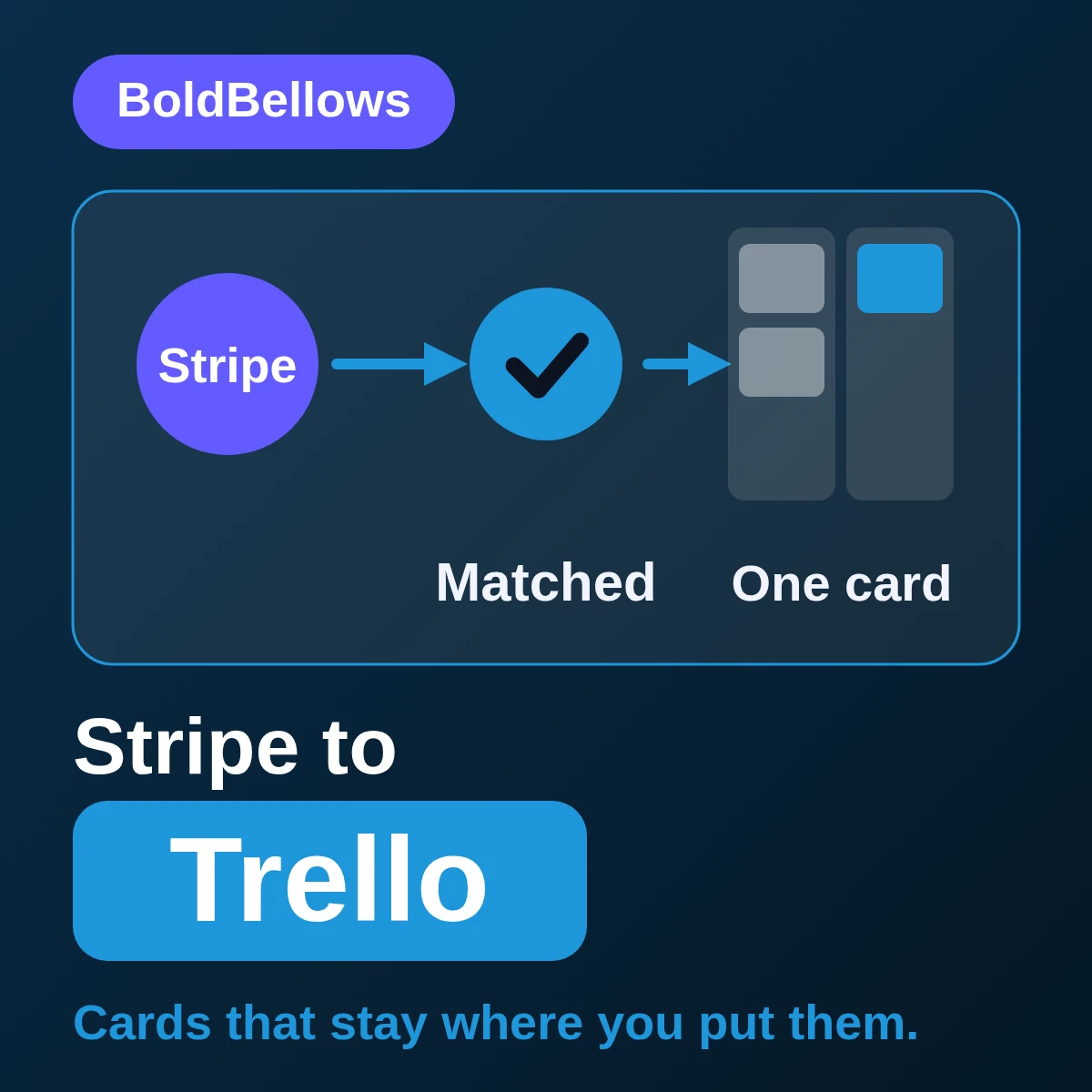
Stripe to Trello automation by BoldBellows: a route that resolves identity through a custom source-ID field before building a card with list, due rule, labels, checklist and source link
Checked, then moved Matched by source ID first BOARD · THIS WEEK Events admitted154 Cards matched, no duplicate151 Held on a late-arriving event3 Every retry finds the card it already built

What a Stripe notification has to clear before it can touch a live card

  • The event's real place in Stripe's own lifecycle gets read firsta subscription can shift without that alone forcing a rewrite of the customer's own card
  • Every card is anchored to a custom source-ID fielda retried webhook finds the card it already built, never a second one
  • Trello's own list and due-date rules get respected, not overwrittena card gets built the way Trello actually expects, checklist and all
  • A late event checks the board before it touches anythingif a person already moved the card, that move doesn't get silently undone
  • You know the total before the first webhook ever firesthe card count this route ends up producing has no bearing on it

01The backward-drag trap

A green Trello response only proves a card accepted an update

A shallow connector fires whenever a matching Stripe event lands and overwrites whatever list, due date, or checklist state it's configured to push — with no idea whether someone already dragged that card forward, ticked off an item, or closed it out for good. All three look exactly the same from the API's accepted-write response.

"An ops lead spent a morning re-dragging twelve cards back to 'In Review' after a delayed webhook silently reset them to 'New'."

Nothing checked the card's current list before overwriting it, so a late-arriving retry erased real progress in one pass.

"A card's due date kept quietly resetting every time a retried event touched it, until the board's own deadline view stopped meaning anything."

With no memory of what had already been confirmed, each replay just reapplied the original due rule from scratch.

"A checklist a teammate had already completed by hand got wiped clean when a late Stripe event rebuilt the card from scratch."

The rebuild treated the card as new rather than checking what state it had actually reached on the board.

Trello's API accepting a card update only proves the request went through, not that it respected the actual work a person had already put into that card. A custom source-ID field is what lets the route ask "where is this card right now" before it decides to touch it at all.

None of this depends on the Stripe traffic itself behaving any differently. What actually decides the outcome is whether the automation checks a card's real position before acting on it — or barrels ahead as if the board never changes.

Before

Card rewritten, every webhook Current list check: none Late event: written anyway
  • A retry drags a card back to an earlier list
  • A completed checklist gets rebuilt from zero
  • A due date resets every time the event replays

After

Event STR-190111, card: matched Current list confirmed before the write lands ✓ Linked to the card already on the board ✓ Existing checklist and due date left intact ○ Genuine late-arrival event held for review
  • Admission rules decide which event even reaches the board
  • A card's list only moves forward, never silently back
  • A stale event surfaces for review, not a silent overwrite

02How it works

A card that stays put: the route in four steps

The event is read to find its card, a custom field holding the source ID claims it, the card's current list, due date and checklist are checked, and the card ID is stored so a late event cannot drag it backward.

1 STEP 1 Read the event Which card this event belongs to 2 STEP 2 Claim the field Custom field holds the source ID 3 STEP 3 Check the card Current list, due date and checklist STEP 4 Keep the card ID Late events can't drag it backward Late event is held for review 1 STEP 1 Read the event Which card this event belongs to 2 STEP 2 Claim the field Custom field holds the source ID 3 STEP 3 Check the card Current list, due date and checklist STEP 4 Keep the card ID Late events can't drag it backward Late event is held for review
The card's current position is checked first. A late event waits for review instead of overwriting real progress.

Why the card's current position gets checked before anything else

  • Interpretation keeps a subresource event from acting above its station. Reading a subscription update on its own terms means it never gets to speak for the card that actually represents the customer.
  • Validating position means asking the board a question, not guessing. Whichever list the card sits in right now decides whether this event should move it at all.
  • Stored proof is the card's own ID, not just a success flag. That's the exact value the next retry looks up before it's allowed to touch the board again.

03One card contract, three levels of reach

From one respected card to a fully governed board

Capture takes care of identity claiming and a single card sitting where it should. Coordinate is what makes a genuine status change and a webhook simply firing twice stop looking like the same thing. Audit keeps a standing eye on drift, for boards the team has stopped treating as optional.

CaptureCoordinateAudit

Board view EventCardListStatus evt_190101crd-71aIn ProgressCreated evt_190109crd-71fIn ProgressCreated evt_190120crd-720DoneCreated evt_190111crd-71aDoneMatched A resend matches crd-71a — its "Done" list stays put Stripe ReadMatchedCheckedVerified Board view EventStatus evt_190101Created evt_190109Created evt_190120Created evt_190111Matched A resend matches the card — its list stays put Stripe Read+ 3 more views

Stable identity ledger Capture

Settles the event's account, object and livemode as fact, so nothing downstream has to guess at them later.

Trello object constructor Capture

Builds the card's list, due rule, labels and checklist the way Trello's own API actually expects them.

Replay-safe destination matcher Coordinate

Catches a webhook knocking twice before that second knock gets treated as new business.

Conditional routing matrix Coordinate

Sends a disputed charge onto a different list than a routine payment, when your board's rules call for it.

Reconciliation register Audit

Flags the week a card's Stripe source and its board state quietly stop agreeing with each other.

04Who it's for

Built for whoever re-drags cards after a webhook messes with the board

Operations owners who need a board that stays trustworthy without daily babysitting, frontline teams who just want their cards to hold still once they've moved them, and workspace admins accountable for exactly which boards this route was ever granted access to.

Operations owner

Stops opening the board each morning to check whether a webhook quietly undid yesterday's progress.

Frontline task owner

Can move a card and trust it stays moved, instead of watching it reset the next time an event fires.

Workspace administrator

Doesn't have to reverse-engineer scope from memory, since the handover spells out every board and permission this route was granted.

05Compare

Where a fire-and-forget automation stops respecting the board

A quick zap fires a card update the instant a Stripe event lands, with no concept of where that card currently sits or what a person has already done to it. Checking that, and holding a genuinely late event for review, is exactly the part a quick setup skips.

Three ways a Stripe event can touch a Trello card, judged on whether it respects where that card already is
What actually mattersA teammate keeping watchAn off-the-shelf zapBoldBellows build
What starts the writeThey catch the change and update itAny matching trigger, no filterYesAn event has to clear a written admission rule
How the match gets decidedThey hunt the board by eyeTrusts the card title to stay uniqueYesA custom source-ID field, checked every time
What happens if the card already movedCaught only if someone happens to lookPushes the update through regardlessYesCaught before the write ever lands
When the outcome is unclearWaits until someone has time to dig inForces an answer either wayYesParked for a person until the position is proven

PricingClear, one-off packages

Let the board keep what it earned

The jump from Capture to Coordinate and Audit tracks how many branches your board's routing actually needs, and how much it costs you when drift goes unnoticed. Send over a card that got reset on you before, and we'll turn that into a real quote. Trello Capture opens at $295.

View Pricing
Pricing

Build your Stripe to Trello price

Pick a package, answer three short questions about event admission, identity and failure handling, and your price and turnaround move as you choose.


Choose your packageRequired

The three packages differ by how much branching, reconciliation and governance logic sits around the base card-write route.

One Stripe environment and one Trello board, with the identity and failure controls a live route needs.

  • One authorized Stripe account, one Trello workspace
  • Trigger boundary for a defined Stripe financial lifecycle event
  • Approved mapping for payment, customer, invoice, subscription, charge, refund, metadata and event-state data
  • Destination construction for a card with list, due rule, labels, checklist and source link
  • Duplicate, permission, missing-field and timeout tests
  • Premium PDF handover naming owners and repair steps

For boards whose cards need more than one path, plus a safe way to bring older events onto them.

  • Everything in Trello Capture
  • Up to four qualification or routing branches
  • Matching through a custom field holding the source ID
  • One controlled historical window with a checkpoint
  • Destination lookup before any uncertain replay
  • Field-change register and exception ownership

For a board the whole team now schedules around, with the standing checks that kind of trust actually deserves.

  • Everything in Trello Coordinate
  • Scheduled source-to-destination state comparison
  • Drift detection for the fields this route relies on
  • Volume-aware backoff and retry ceilings
  • Exception register with age, severity, evidence and assignee
  • Thirty-day launch review plus administrator-grade PDF notes

Multiple legal entities, regulated retention design, unrestricted bidirectional sync or unsupported extensions. Tell us the real scope and we will price it for your build.

Which Stripe lifecycle events should create or touch a card?Required

Eligible lifecycle coverage adds routing for several approved transitions converging on one card identity.

How should a written card trace back to its Stripe event?Required

The ambiguity holding lane sends a zero-match or multi-match outcome to a person instead of guessing.

What should happen when a card write can't be confirmed?Required

A managed exception takes more setup than a stop, but nothing silently falls through.

How soon do you need it live?Required

Standard follows the schedule your other choices set. Pay to move up the queue and go live sooner.

Optional extrasOptional

Each one begins switched off. Turn on what your rollout needs, watch the total, switch it back off.

06The process

A real re-dragged card teaches us more than any board diagram

Capture stays quick because there's one card contract to lock in against your real list structure. Coordinate costs more calendar time, because we can't sign off on a branch until it's been proven against the messy version of your board, not a tidy mockup. Audit takes the longest for an honest reason: nobody can tell you a drift alert works until an actual drift happens, and forcing that on a schedule defeats the point. Running this against more than one board or workspace changes how identity gets modeled, so flag it while we're still scoping.

Before we touch your board Which Stripe event should create a card Which list, due rule and labels it should carry How far back a historical import should reach Who owns a card once a late event is flagged Set once, tuned to your real board layout Rehearsal run Simulated set: 58 events Events checked 58 Cards matched correctly 57 Backward drags 0 Ready for your board
  1. Show us the card that got dragged backward

    A real instance of a webhook undoing someone's work tells us more about your board's failure mode than a clean hypothetical would.

  2. Name the one field that anchors every card

    We settle exactly which custom field carries the source ID, and what should happen if a card can't be found by it.

  3. Retire the test board for your real one

    Once the rules hold up under practice runs, we swap the sandbox credentials for your live Stripe account and the Trello board that actually matters.

  4. Drag a card ourselves before a webhook can

    We move a test card forward, resend its event on purpose, and confirm the route leaves the new position alone.

  5. Watch it run for one full week before trusting it

    Live events start reaching the board while your team still checks each outcome, and it earns unsupervised trust only once that week holds up clean.

Three things to have ready

  • A Stripe key that can see only the specific events this board cares about.
  • Whoever administers the target Trello workspace and its boards.
  • One example card, so we can see your real list and label setup.

07Security and ownership

This route can touch one board, and only cards it built

This route holds a read-only key on the Stripe side and a single-board key on the Trello side. Either one growing beyond that takes a separate, deliberate approval — it's never a byproduct of anything else changing.

No other board is reachable from this token

A workspace with a dozen boards only ever exposes the one board this route was actually built for.

Only cards this route created are ever touched

A card someone made by hand stays completely off-limits, no matter how closely its title might resemble one this route builds.

Position gets confirmed before position gets changed

The board lookup runs before any list move, which is exactly what keeps a late event from undoing real progress.

A blocked write doesn't retry on a loop

Once a card write can't be confirmed, the route parks it as a flagged exception instead of hammering the same attempt again.

Logs record decisions, not a mirror of your board

What gets kept is which event caused which list move and why — never a duplicate copy of every card's contents.

The mapping outlives whether we're still involved

Handover isn't a summary — it's the identity rule and every list mapping written down completely enough that your admin never has to call us to change one.

08In their words

What BoldBellows clients say

Verified reviews from operations teams who trust BoldBellows to keep a webhook from ever dragging a card back to where it started.

AI Data Entry & Reporting Automation

We used to spend hours collecting data and building weekly reports by hand. BoldBellows automated all of it.

The reports are clean, visual and easy to read, and our managers rely on them for quick decisions. Human error is gone and our numbers are more accurate across the board.

Sarah MüllerVerifiedZurich, Switzerland

AI Lead Qualification & Sales Automation

Our sales team wasted hours chasing cold leads. BoldBellows built an AI lead-scoring system that reads behavior, email engagement and buying signals.

It filters out weak leads and sends personalized follow-ups automatically, so our team only talks to people who are ready to buy. Conversions rose 40% in the first month. It paid for itself straight away.

Aisha MohammedVerifiedDubai, UAE

AI CRM Automation

Our CRM was barely used because updating it by hand was tedious. BoldBellows automated data entry, tagging, segmentation and follow-ups.

Now the CRM is always up to date and our campaigns are far more accurate. It improved our whole sales pipeline.

David KimVerifiedSeoul, South Korea

AI Email & Smart Inbox Management

Our inbox used to be chaos. BoldBellows built an AI email system that sorts messages, drafts replies and flags anything urgent.

It learns how we write and gets better every week. We reply faster and no longer miss important messages. It feels like having a personal assistant working around the clock.

Chloe AndersonVerifiedMelbourne, Australia

AI Booking & Scheduling Automation

Our coaching business needed a better way to schedule. BoldBellows automated all of it: bookings, reminders, cancellations and follow-ups.

No-shows fell by 60% and clients enjoy how smooth it is. It feels personal, not robotic. One of the best upgrades we’ve made.

Emily CarterVerifiedLondon, United Kingdom

AI E-commerce Listings Automation

BoldBellows automated our product listings. The AI writes descriptions, organizes photos and publishes listings across several marketplaces.

It even answers customer questions instantly. Our store looks more professional and sales have noticeably increased.

Pedro LimaVerifiedSão Paulo, Brazil

AI Chatbot & Customer Support

BoldBellows built an AI support chatbot for our online boutique, and it has changed how we run the business. We used to have two full-time staff answering the same questions all day. Now the AI handles order tracking, product recommendations and even refund requests on its own.

What surprised me most is how natural it sounds. Customers compliment the ‘agent’ without realizing it’s AI. Our support workload dropped by 75% and customer satisfaction went up dramatically.

Maria GonzálezVerifiedMadrid, Spain

AI HR & Recruitment Automation

Our HR team was drowning in applications. BoldBellows automated screening, skills-based filtering and interview scheduling.

It saves us hours every week and means we only interview qualified people. Hiring is now faster, better organized and more professional.

Olivia MartinezVerifiedAustin, USA

AI Document & Contract Automation

Onboarding was slow because we wrote every contract by hand. BoldBellows automated the lot: contracts, welcome emails and client setup.

What took 48 hours now takes under 10 minutes, and clients regularly tell us how professional it feels.

Michael O’ConnorVerifiedDublin, Ireland

09FAQ

The questions that come up before a board gets handed to this

If there's a card-movement pattern on your board you doubt an automation could survive, send it over — we'll spell out exactly what this route would do with it.

Doesn't Trello's own Butler automation already cover this in the Stripe to Trello route?

Butler is genuinely good at rules inside Trello — due dates, checklists, card moves triggered by board activity. What it doesn't do is talk to Stripe directly, tell a webhook resend apart from a fresh event, or decide what happens when a card has already moved somewhere Butler didn't expect.

Could this end up damaging boards or cards we didn't intend it to touch?

The token this build uses is scoped to one board and only ever acts on cards it created itself, through Trello's own supported API. Anything outside that boundary stays untouched, and any admin permission it does need gets documented at handover.

Can we bring older Stripe activity onto a board that's already running live?

Yes, on Coordinate and Audit, within an agreed window. The import checks the same custom source-ID field as live traffic, so a card that's already on the board gets left alone instead of duplicated underneath it.

Does anything else get billed once this is live?

Not from us — the number here is a one-time charge for building and testing the route. Whatever you pay Stripe and Trello today doesn't change because of this.

What if Trello changes something about how Custom Fields work later on?

The handover document lists every field and endpoint this build leans on by name. Should Trello change one, the write that touches it stops and gets flagged rather than guessing, and untangling that specific change becomes its own piece of work once your review window has passed.

Our board sometimes needs one Stripe event to touch several related cards — can that work?

Often, provided the pattern comes up while we're mapping rather than after launch. Where the rule is obvious, the matcher handles a one-to-several case on its own; where it truly isn't, the update waits on a human call rather than picking one arbitrarily. This page also answers searches for stripe payments to trello card, stripe trello integration and stripe trello task creation.

Next stepStop re-dragging cards a webhook reset

Give every card a position worth trusting

Bring us the card that got dragged backward and the Stripe event that should have known better — one real example is all we need to price this out. Trello Capture starts at $295.

  • From $295, billed once
  • A second delivery lands on the same card, not a new one
  • A late event is held, never forced through
  • Every card holds the position it earned