Keyed in, tab to tab
Each order that matters gets copied out of the admin into a Notion page or task. It is slow, it is dreary, and a wrong digit slips in often enough to sting.
BoldBellowsRun the WordPress store from Notion
Our WooCommerce to Notion automation reads straight from the store your WordPress site already owns and turns each order and buyer into linked Notion databases, opens a page for every order, and keeps rollups like lifetime spend and order count current on their own. Because the order history sits in your own database, there is no recent-orders cut-off to work around, so we can carry across the full record, not just a slice. We shape it around the databases and views your team already uses, verify it against your own WooCommerce admin, and hand you a workspace you own outright. No monthly app.
One-off build from $595
Nothing recurring to renew
Chapter 01Two tabs, always open
Everything gets planned, written and assigned in Notion. Then a sale needs acting on, and someone opens the WooCommerce admin in another tab and keys the details across by hand. To connect woocommerce to notion the right way is to close that gap: pull the order, the buyer and the money into the workspace where the work already happens.
The whole company lived in Notion, apart from the checkout that pays for it.
Each order that matters gets copied out of the admin into a Notion page or task. It is slow, it is dreary, and a wrong digit slips in often enough to sting.
A returning customer looks brand new every time, because nothing ties this order to the last. No lifetime spend, no order count, nothing to rank a VIP on.
Answering "how did this week go" means adding figures up in a spare page, because the raw orders never reached the workspace to be rolled up in the first place.
Before
After
Chapter 02How it works
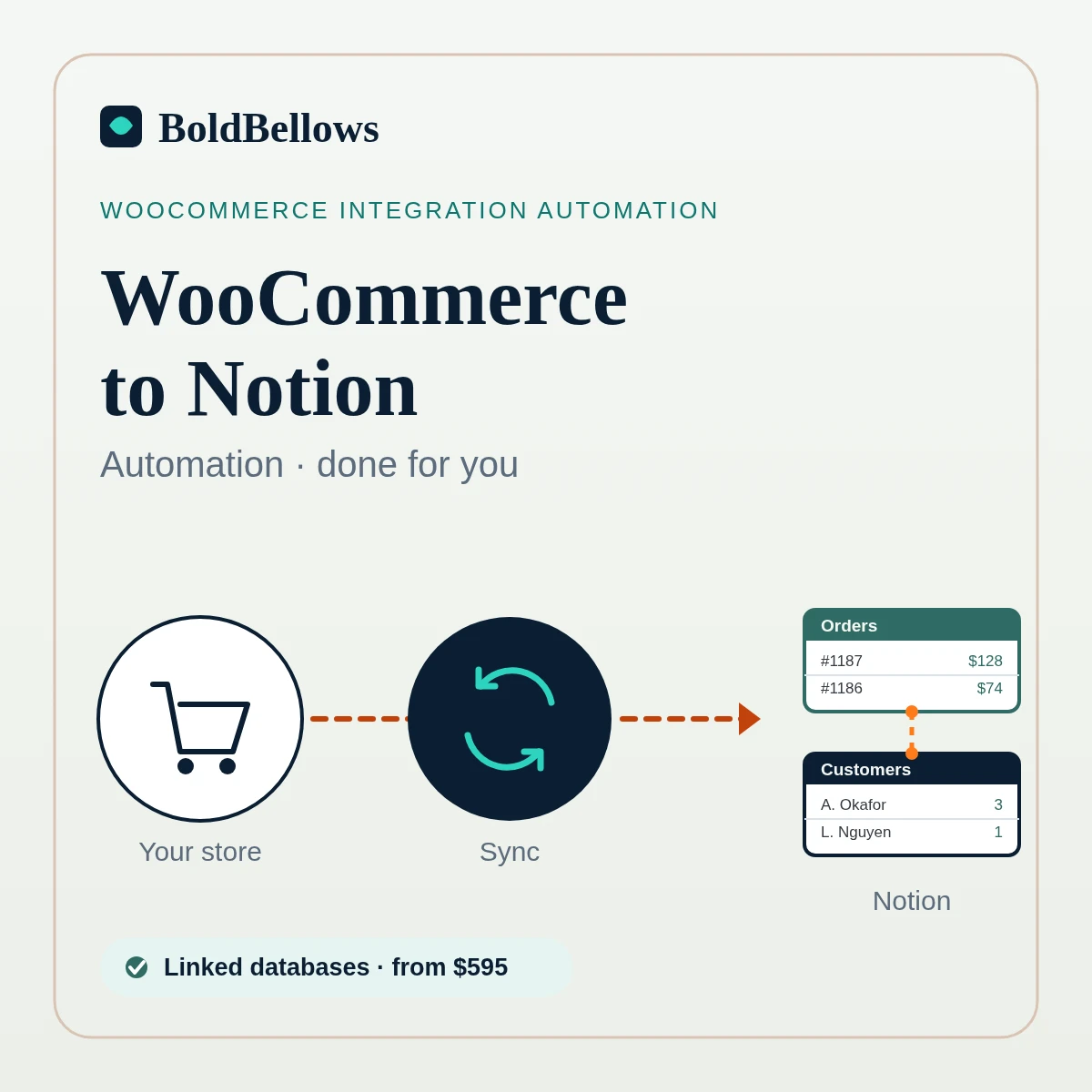
The flow runs one way, through three stages. The sync reads your store over the WooCommerce REST API, reshapes each order into the rows, pages and relations Notion expects, and files them in your workspace. WooCommerce itself is never touched; all that appears is a set of clean, checked records. In plain terms, we sync woocommerce orders to notion so nobody has to type them in again.
Following the short written guide we provide, you generate a WooCommerce REST API key pair, a consumer key and consumer secret, set to read-only. It can see orders, customers and products but change nothing. Since your store sits on WordPress hosting you control, the whole back catalogue of orders is within reach — there is no recent-orders window standing in the way.
Each order finds or creates its buyer by email, writes the row, opens a page where you asked for one, and relates the products it holds. A WooCommerce webhook flags the change, and because Notion accepts about three writes a second the sync paces itself; a scheduled re-read on a real cron then catches anything the store edited later, so nothing doubles up or slips past.
Everything lands in your own databases and property names, not an off-the-shelf template, so your views and rollups behave the way your team built them. This is why the woocommerce notion database sync bends to your workspace, rather than the other way round.
Chapter 03The workspace
What you receive grows with your package, and every database, property and view can still be reshaped through your rounds of edits.
Every order a row, with number, date, total, WooCommerce status and a summary of what was bought.
Each buyer once, linked to their orders, so your woocommerce customers data notion-side is deduped and whole.
Orders point at their buyer and their products, so one click walks you across the workspace.
Lifetime spend, order count and last order date calculated on each buyer, kept current on their own.
Where you want it, a woocommerce notion page create step opens a page with the line items written in.
A home page pulling today's orders, orders still to fulfil, top buyers and revenue this month.
A woocommerce notion CRM view of buyers with a follow-up status your team sets by hand.
Your routines and the databases linked from one home, so a woocommerce notion workflow has a place to live.
Chapter 04The options
Any of these can shuttle a little data across. What sets them apart is whether you finish with linked databases, a page per order and rollups you can trust, or a flat heap of pasted rows that drift out of step.
| Question | By hand | Zapier or Make | A sync plugin | BoldBellows build |
|---|---|---|---|---|
| Orders arrive on their own | Only when someone types them | Yes, one order at a time | Yes, on its own model | Yes, deduped by order number |
| Buyers linked to their orders | Almost never | No relation logic | Sometimes, its own way | Relations across every database |
| A page created per order | If you make one each time | Basic, no line items | Rows only, as a rule | Page with line items written in |
| Rollups and totals | Tallied on a spare page | Not its job | Some, in its own fields | Lifetime spend and count, live |
| Mapped to your workspace | Whatever you paste | As far as you build it | Its own template | Your databases and property names |
| Cost over time | Free, yet hours lost each week | A monthly bill, rising with tasks | A yearly licence, often per site | One-off price from $595 |
| Where it lives | Baked into a person's habit | Hosted on their platform | Inside a plugin on your site | Your own Notion workspace |
On the routes that lean on a bridge. Notion ships no built-in WooCommerce connector, so every path leans on something. A woocommerce to notion zapier build can drop new orders in, but it handles a single order per run and cannot hold relations, a page per order and rollups in step, and the task bill climbs the busier the store gets. If a live spreadsheet feed is nearer what you want, the WooCommerce to Google Sheets automation build covers reporting, and if you would rather work in a stricter database with its own forms and automations, WooCommerce to Airtable automation is the closer fit.
Chapter 05Who it serves
If your plans, tasks and notes are in Notion and only the orders are missing, a proper woocommerce notion integration puts the store where the work already happens.
A home page that answers "how are we doing" the moment you open the workspace, with no WordPress login.
On this WooCommerce to Notion route, a fulfilment queue and refund list that read off real orders, so the day's work sits in one place.
A buyer's whole order history one relation away, so a reply need not start with "let me check the admin".
A repeatable workspace to stand up for each WooCommerce site you run, mapped to the databases you already trust.
InterludeOne place for everything
Choose a package, run through a few quick questions about your workspace, and your price and delivery window are shown before you commit, on the WooCommerce to Notion route.
One-off price from $595 · You own everything we build
Pick a package, then answer a handful of short questions about your store and your workspace; the price and the delivery window shift with every answer. Nothing is added on your behalf, and switching any extra back off is a single click.
Chapter 06The process
Six steps all told, and your part comes to about an hour, of which roughly ten minutes goes on granting access. The building, testing and sync are ours, and you sign off a genuine batch of recent orders before it becomes yours.
About 30 minutes
A short online brief. You show us the databases and views your team lives in, and we settle exactly which properties each order, buyer and product should fill.
About 10 minutes
You create a read-only WooCommerce REST API key pair and invite us to the Notion space we should build into. Written steps and screenshots come with it, and no Notion payment or bank login is ever requested.
Most of the project
We stand up the databases, wire the relations and rollups, add the pages and views your package includes, and load in as much of your past orders as you chose.
Before you see it
Rows, pages, totals and relations are lined up against the same orders in your WooCommerce admin, and we make sure no buyer shows up twice and every rollup adds to the right figure.
Two to four rounds
Your team walks a genuine batch inside Notion. Property names, which views to pin, how the pages read: that is exactly what these rounds of edits are for.
Handover day
With WooCommerce to Notion in place, a premium PDF of handover notes walks through every database, relation and view, and the workspace keeps filling on its own long past the day we finish.
Chapter 07Trust
A workspace holds real people's records, so how that data travels is worth getting right. We ask for the least access that does the job, write only the fields you sign off, and step aside the instant you say so.
The key pair you issue reads your orders, customers and products and nothing more. Altering the store, an order, a product, a price, sits outside what a read-only key can do.
Emails and street addresses can stay out entirely, or be shortened, so the workspace holds what your team needs and no more.
We note what a Notion order came to and write that number into a row. No bank or gateway is connected and not a cent moves; the figure is recorded, never charged.
Delete the API key in WooCommerce or the Notion access and the sync stops that minute. There is no standing subscription left waiting in the wings.
This connection carries records from WooCommerce across to your Notion; no duplicate of your orders or buyers is stored anywhere on our side.
In the WooCommerce to Notion route, the databases, relations and views sit in your own Notion workspace, and keeping the store flowing in costs nothing month to month.
"We prove a genuine run of your recent orders lands with no duplicates and every rollup adding up, before the workspace is ever yours to keep." with WooCommerce to Notion
Steven GrratFounder, BoldBellows
Chapter 08In their words
Real words from BoldBellows clients who lean on our automations daily, across operations, reporting, data entry, sales and support, in the WooCommerce to Notion route.
AI Data Entry & Reporting Automation
We used to spend hours collecting data and building weekly reports by hand. BoldBellows automated all of it.
The reports are clean, visual and easy to read, and our managers rely on them for quick decisions. Human error is gone and our numbers are more accurate across the board.
AI CRM Automation
Our CRM was barely used because updating it by hand was tedious. BoldBellows automated data entry, tagging, segmentation and follow-ups.
Now the CRM is always up to date and our campaigns are far more accurate. It improved our whole sales pipeline.
AI Chatbot & Customer Support
BoldBellows built an AI support chatbot for our online boutique, and it has changed how we run the business. We used to have two full-time staff answering the same questions all day. Now the AI handles order tracking, product recommendations and even refund requests on its own.
What surprised me most is how natural it sounds. Customers compliment the ‘agent’ without realizing it’s AI. Our support workload dropped by 75% and customer satisfaction went up dramatically.
AI Workflow Automation for Agencies
Running a digital agency with many clients was overwhelming. BoldBellows built one automation dashboard that tracks tasks, sends updates and creates client reports automatically.
Clients love the transparency and we love the time we get back. Productivity is up, and project delays have dropped to almost zero.
AI Customer Journey Automation
We wanted a smoother path from first contact to purchase. BoldBellows built an AI system that guides each customer there automatically.
It sends personalized messages, recommends products and follows up at just the right moment. Customer retention has improved dramatically.
AI Automation Partner
BoldBellows is hands-down the best AI automation partner we’ve worked with. Their systems are fast, reliable and built around how our business actually works.
Every automation they’ve delivered, from customer service to content, runs flawlessly. We’ve saved time, cut costs and grown faster than we expected.
AI Lead Qualification & Sales Automation
Our sales team wasted hours chasing cold leads. BoldBellows built an AI lead-scoring system that reads behavior, email engagement and buying signals.
It filters out weak leads and sends personalized follow-ups automatically, so our team only talks to people who are ready to buy. Conversions rose 40% in the first month. It paid for itself straight away.
AI Email & Smart Inbox Management
Our inbox used to be chaos. BoldBellows built an AI email system that sorts messages, drafts replies and flags anything urgent.
It learns how we write and gets better every week. We reply faster and no longer miss important messages. It feels like having a personal assistant working around the clock.
AI E-commerce Listings Automation
BoldBellows automated our product listings. The AI writes descriptions, organizes photos and publishes listings across several marketplaces.
It even answers customer questions instantly. Our store looks more professional and sales have noticeably increased.
AI Content & Social Media Automation
Our marketing agency couldn’t keep up with content. BoldBellows set up an AI content engine that writes blog posts and captions and even designs our social media creatives.
It spots trends and suggests topics for us, so we stay ahead of competitors. We now produce three times the content with the same team, and engagement has soared. They didn’t just automate our workflow, they lifted our whole brand.
AI Video & Voice Automation
We publish product videos every week, and BoldBellows introduced us to AI video automation. The system writes the script, voices it and produces the finished video in minutes.
The quality is remarkable: professional voiceovers, clean visuals and smooth editing. Production time went from three days to under 30 minutes, and we scaled our video marketing without adding cost.
AI Booking & Scheduling Automation
Our coaching business needed a better way to schedule. BoldBellows automated all of it: bookings, reminders, cancellations and follow-ups.
No-shows fell by 60% and clients enjoy how smooth it is. It feels personal, not robotic. One of the best upgrades we’ve made.
AI Translation & Localisation
When we expanded abroad we needed fast, accurate translations. BoldBellows built an AI translation system that turns our content into several languages instantly.
The translations read naturally and suit each culture. We now serve customers in five new countries without hiring translators. BoldBellows helped us go global.
AI HR & Recruitment Automation
Our HR team was drowning in applications. BoldBellows automated screening, skills-based filtering and interview scheduling.
It saves us hours every week and means we only interview qualified people. Hiring is now faster, better organized and more professional.
AI Accounting & Invoice Automation
BoldBellows automated our whole invoicing process: creating invoices, sending reminders and tracking payments.
Late payments dropped sharply, and our accounting team finally has time for strategy instead of repetitive admin. Worth every penny.
AI Document & Contract Automation
Onboarding was slow because we wrote every contract by hand. BoldBellows automated the lot: contracts, welcome emails and client setup.
What took 48 hours now takes under 10 minutes, and clients regularly tell us how professional it feels.
AI Social Comment & DM Automation
We get thousands of comments and messages every week. BoldBellows built an AI system that replies instantly, filters spam and surfaces the important ones.
Engagement is up and our page looks active around the clock. It’s like having a full social media team that never stops.
AI Voice Assistant
BoldBellows built a custom AI voice assistant for our customer hotline. It answers questions, books appointments and handles simple requests.
Customers love how fast it is, and our call-centre workload dropped dramatically. One of the smartest upgrades we’ve made.
Chapter 09Questions
The questions Notion-first teams tend to raise before starting.
That is right, Notion ships without a built-in WooCommerce connector, so everything leans on a bridge of some sort. We read your store through the WooCommerce REST API using a read-only key pair, and a sync writes into your workspace through the Notion API, building the databases, relations and pages your package includes. The result is a proper woocommerce notion automation living in your own workspace, rather than a pile of pasted rows.
A WooCommerce webhook can flag an order the moment it changes, but Notion accepts only about three writes a second, so the sync queues and paces those writes rather than firing them all at once. It also re-reads on a proper server cron, not WP-Cron, which only runs when someone visits the site and is unreliable on a quiet store. New and changed orders are matched by order number each run, so a refund or a status change is never missed and nothing is written twice.
Either, and you decide in the pricing above. Plenty of teams are happy with rows they can filter and group in seconds. When you want more, a woocommerce notion page create step opens a page per order with the line items written into the body, leaving room for your own notes and files.
You can drop new orders in that way, but a woocommerce to notion zapier build processes one order per run and cannot keep relations, a page per order and rollups in step, because those need the buyer, the products and the totals bound into one record. Each event may also use up a task, so the more you sell the larger the bill. If a simple board of Notion cards is all you want, our WooCommerce to Trello automation may be enough on its own.
Yes, and this is a spot where WooCommerce wins: with the store held in WordPress hosting you own, the full order record belongs to you and no recent-orders window has to be unlocked first. Begin from today only, pull in this year, or migrate the store's entire trading history — loaded in small batches so your woocommerce customers data notion-side stays deduped and nothing gets bundled together.
Not to the sync. Whether your orders sit in the newer High-Performance Order Storage tables or the older post-based ones, we read them through the same REST API, so both are handled the same way. Variable products, coupons and your tax settings come across intact. If a plugin or theme adds its own custom fields you want in Notion, tell us in the brief and we map them in; if one ever clashes with the store, that is a store matter and read-only keys mean we could not have caused it.
Yes. The relations and rollups are ordinary Notion features living in your own workspace, so lifetime spend, order count and last order date recalculate on their own as new WooCommerce orders land. Because it is your woocommerce notion database sync, you can add views, tweak formulas or restructure things later without asking us, though a round of aftercare is there if you would rather we did it.
The connection to WooCommerce is read-only, money is never moved, and you choose which fields are written. Because the whole woocommerce notion workflow sits in your workspace, you owe us nothing each month and nothing stops working if we part ways, so this is a build you own outright.
Stop retyping orders between tabs. Let a real woocommerce notion integration write every order and buyer into linked databases, open a page per order and roll up the totals, all verified against your live store and yours to keep.